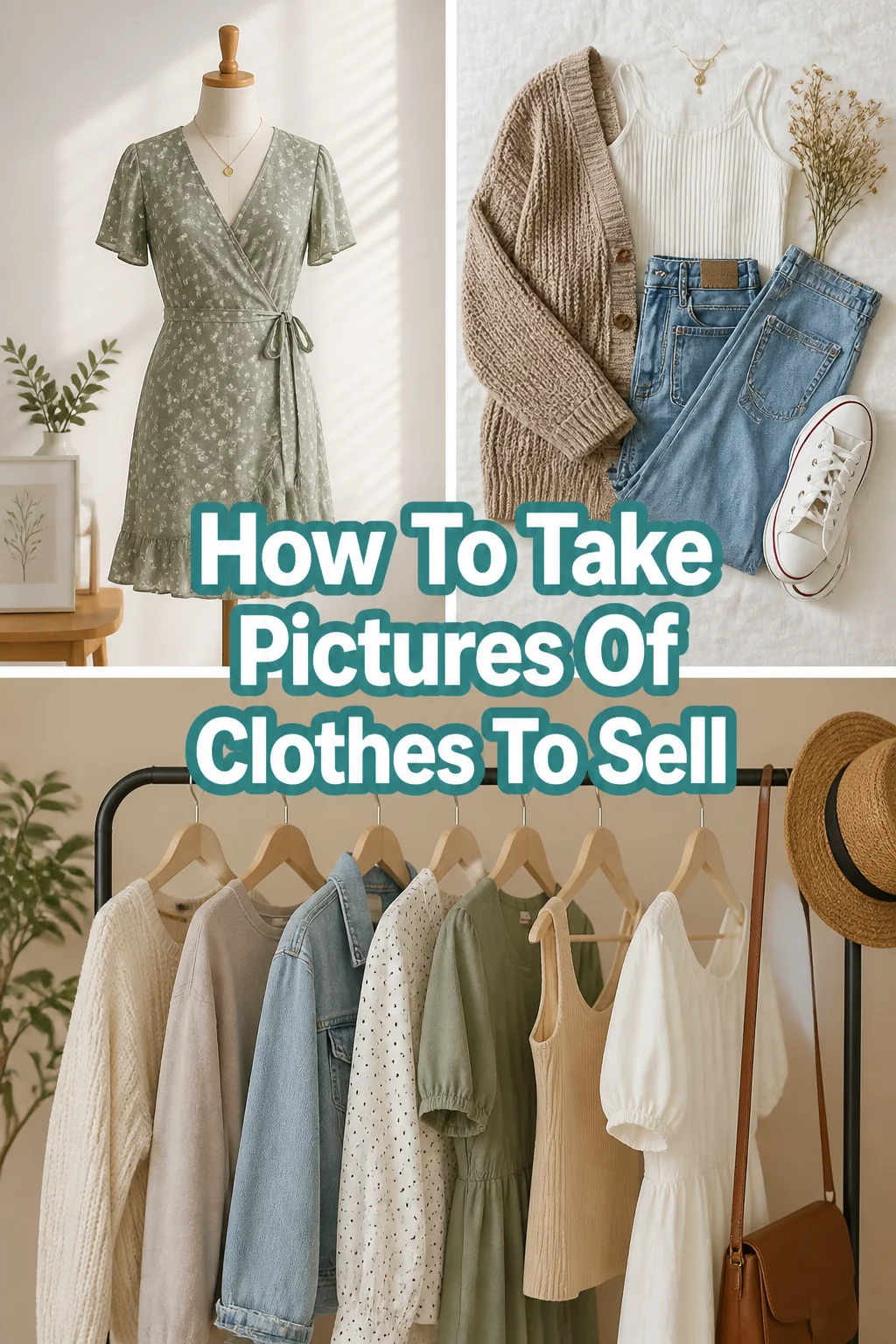
📸 How To Take Pictures Of Clothes To Sell
Selling clothes online can be incredibly rewarding, but it often hinges on one crucial element: your photos.
I’ve personally seen items sit for weeks, then sell within hours after I simply reshot the pictures with better lighting and a cleaner background.
This guide will walk you through my proven methods to capture stunning images that make buyers click “Add to Cart.”
Quick Overview
This guide will equip you with the knowledge to take professional-looking photos of your clothes, significantly enhancing your online listings and boosting sales.
- Time needed: 1-2 hours for initial setup and learning, then 10-15 minutes per item.
- Difficulty: Beginner
- What you’ll need: A smartphone or camera, good lighting (preferably natural), a clean background, hangers or a mannequin, and basic editing tools.
Step-by-Step Instructions
Step 1: Prepare Your Garment Meticulously
First impressions are everything, even in a photograph. Buyers want to see items in their best possible state.
Clean the garment thoroughly, checking for any lint, stains, or dust. A lint roller is your best friend here.
Iron or steam out all wrinkles and creases. A crinkled item looks neglected and less valuable.
Inspect for loose threads, missing buttons, or any minor imperfections. Note these down for your listing description.
Pro Tip: Always photograph items exactly as they will be shipped. If there’s a minor flaw, capture it clearly and transparently.
Step 2: Choose Your Display Method
How you present the clothing impacts its perceived value and how well buyers can visualize it.
Flat Lay: Lay the item flat on a clean surface. This method works well for t-shirts, sweaters, and jeans, offering a clear, top-down view.
Hanger: Hang the garment against a plain wall. This is quick and effective for dresses, jackets, and shirts, showing the item’s drape.
Mannequin/Dress Form: Use a mannequin to give the clothing shape and context. This helps buyers imagine how the item will look when worn.
Model: If comfortable, wearing the item yourself or having a friend model it provides the most realistic representation. This shows fit, drape, and scale.
Step 3: Master Natural Lighting
Good lighting is the single most important factor for attractive product photos. Natural light is almost always superior.
Find a large window with indirect sunlight. Direct, harsh sunlight creates strong shadows and can wash out colors.
Position your garment near the window, facing the light source. This ensures even illumination across the item.
Avoid overhead indoor lighting, which often casts yellow tones and unflattering shadows. Turn off any artificial lights that might mix with natural light.
Pro Tip: Overcast days are ideal for photography as the clouds act as a giant diffuser, providing soft, even light.
Step 4: Select a Clean, Simple Background
The background should complement, not compete with, your clothing item. A busy background distracts potential buyers.
Opt for a plain white, light gray, or light-colored wall. A clean sheet or large piece of poster board can also work.
Ensure the background is free of clutter, personal items, or anything that doesn’t belong. Keep it minimalist.
Consider a textured but subtle background for certain items, like a wooden floor for a rustic look, but always prioritize simplicity.
Step 5: Capture a Variety of Angles and Details
Buyers want to see every aspect of the item before committing to a purchase. Provide a comprehensive visual tour.
Shoot a full front view, showcasing the entire garment clearly. This is your primary listing photo.
Take a full back view to show the design from all sides. Don’t forget the back.
Include detail shots of unique features like embroidery, buttons, zippers, pockets, or interesting textures. These highlight quality.
Photograph any tags, especially brand, size, and material tags. This information is crucial for buyers.
Clearly show any flaws, no matter how minor. Honesty builds trust and prevents returns.
Pro Tip: Take pictures from slightly above the item for flat lays to prevent distortion, and at eye level for items on hangers or models.
Step 6: Style the Garment Appealingly
Presenting the clothing in an attractive way can significantly influence a buyer’s decision.
Arrange the item neatly, making sure sleeves are folded or positioned naturally. Avoid awkward creases or bunched fabric.
Add simple accessories if it enhances the item without distracting. A belt with a dress or a simple necklace can elevate the look.
Button up shirts or zip up jackets to give them structure. A partially unbuttoned top can sometimes look more relaxed and inviting.
Step 7: Maintain Photo Consistency
A consistent look across all your listings creates a professional and trustworthy brand image for your store.
Use the same background for all your items. This creates a cohesive aesthetic.
Keep your lighting setup similar from one photo session to the next. This ensures colors appear consistent.
Adopt a consistent editing style. Your photos should have a recognizable look that reflects your brand.
Step 8: Edit Your Photos Thoughtfully
Even with great raw photos, a little post-processing can make them truly shine. Don’t overdo it, though.
Crop your images to focus on the garment, removing unnecessary background space. Maintain a consistent aspect ratio.
Adjust brightness and contrast to make the item pop. Ensure the garment is well-lit and clear.
Correct white balance if colors appear off. The goal is to represent the true color of the fabric.
Sharpen the image slightly to bring out details, but avoid over-sharpening, which can look artificial.
Step 9: Optimize and Upload
The final step ensures your beautiful photos are ready for your chosen selling platform.
Resize images according to the platform’s recommendations. Large files can slow down page loading.
Name your files clearly (e.g., “Brand-Item-Color-Front.jpg”). This helps with organization.
Upload your chosen photos, making sure to use your best shot as the primary listing image.
Common Mistakes to Avoid
Poor Lighting
Dark, shadowy, or overly yellow photos make items look unappealing and difficult to assess. Buyers cannot accurately see the color or condition.
Always prioritize natural, indirect light. If natural light isn’t available, invest in a simple softbox or ring light to provide even, white illumination.
Cluttered Backgrounds
A messy bedroom, laundry pile, or distracting objects in the background pull attention away from the clothing item. It looks unprofessional and cheapens the item.
Use a plain, clean, and simple background like a white wall or a clean sheet. The focus should solely be on the garment you are selling.
Not Showing Details or Flaws
Only providing one or two generic photos of an item leaves buyers guessing about its condition, fabric, or unique features. Hiding flaws leads to disappointed customers and returns.
Take multiple photos from various angles, including close-ups of fabric, tags, unique design elements, and any imperfections. Transparency builds trust.
Inconsistent Photo Style
Having a mix of different backgrounds, lighting, and editing styles across your listings makes your store look unorganized and less professional. It creates a disjointed shopping experience.
Strive for consistency in your lighting, background, and editing. Develop a signature style that makes your listings immediately recognizable and professional.
Troubleshooting
Photos Look Dull or Dark
If your images lack vibrancy or appear too dim, it’s usually a lighting issue or an editing oversight. Your camera might also be compensating for bright areas, underexposing the garment.
Try moving closer to your light source, like a window. During editing, increase the exposure and brightness slightly. Also, check your white balance setting; sometimes cool tones can make photos appear dull.
Colors Look Wrong or Washed Out
Inaccurate color representation can lead to buyer dissatisfaction and returns. This often happens due to mixed light sources, harsh direct light, or incorrect white balance.
Ensure you are using only one light source (preferably natural light) and avoid direct sunlight. In editing, adjust the white balance to match the actual color of the garment. Sometimes, a slight saturation boost can help, but be careful not to overdo it.
Wrinkles or Creases Keep Showing
Despite your best efforts, some fabrics are prone to wrinkling, or creases appear during staging. These imperfections are highly visible in photos and detract from the item’s appeal.
Invest in a good garment steamer; it’s faster and often more effective than an iron for many fabrics. For flat lays, gently smooth the fabric with your hands just before taking the shot. If a minor wrinkle persists, consider carefully using a wrinkle removal tool in your editing app, but use it sparingly.
Key Takeaways
- Preparation is paramount: Always clean and de-wrinkle your garments before photographing.
- Natural light is your best friend; position items near a window for soft, even illumination.
- Choose a simple, uncluttered background to keep the focus on the clothing.
- Capture multiple angles, details, and any flaws to provide a comprehensive view.
- Edit thoughtfully by cropping, adjusting brightness, and correcting colors without over-processing.
- Maintain consistency across all your listings for a professional and cohesive brand image.
Frequently Asked Questions
Is a smartphone camera good enough for selling clothes?
Absolutely, modern smartphone cameras are incredibly capable and often produce excellent results for online selling. The key is understanding lighting and composition, rather than just having expensive gear.
What are the best editing apps for beginners?
Many free apps offer powerful editing features. Snapseed (Google), Adobe Lightroom Mobile, and even your phone’s built-in photo editor are great for cropping, adjusting brightness, and color correction. They are intuitive and easy to learn.
How many photos should I take per item?
Aim for at least 5-7 distinct photos per item. This should include a full front, full back, close-ups of unique details, brand/size tags, and any flaws. More photos provide more confidence to buyers.
What’s the best time of day to take photos?
The best time is typically mid-morning to early afternoon when the sun is high but not directly streaming into your window. Overcast days offer consistent, soft light throughout the day, which is often ideal.
Our Top Recommended Finds
- Garment Steamer: Essential for quickly removing wrinkles and making clothes look fresh.
- White Photo Backdrop: A large white sheet or paper roll provides a perfect, consistent, and clean background.
- Reflector Disc: Helps bounce light onto shadowy areas, evening out illumination without extra power.
Elevate Your Listings Today
You now have the practical steps to transform your clothing photos from amateur snapshots to professional-grade images. This isn’t just about pretty pictures; it’s about building trust, conveying value, and ultimately, making more sales.
Don’t let poor photography hold back your selling potential. Take these insights and apply them to your next batch of listings.
Start experimenting with your lighting and angles today, and watch your sales climb.